Collecting a Form in Conversation
A form does nothing until an agent carries it. Once assigned, the agent knows the form exists, watches the conversation for the right moment, and fills it field by field — no menus, no links, just the chat the customer was already having.
Assigning a Form to an Agent
Go to Agents → (your agent) → Forms and toggle on the forms this agent should collect:
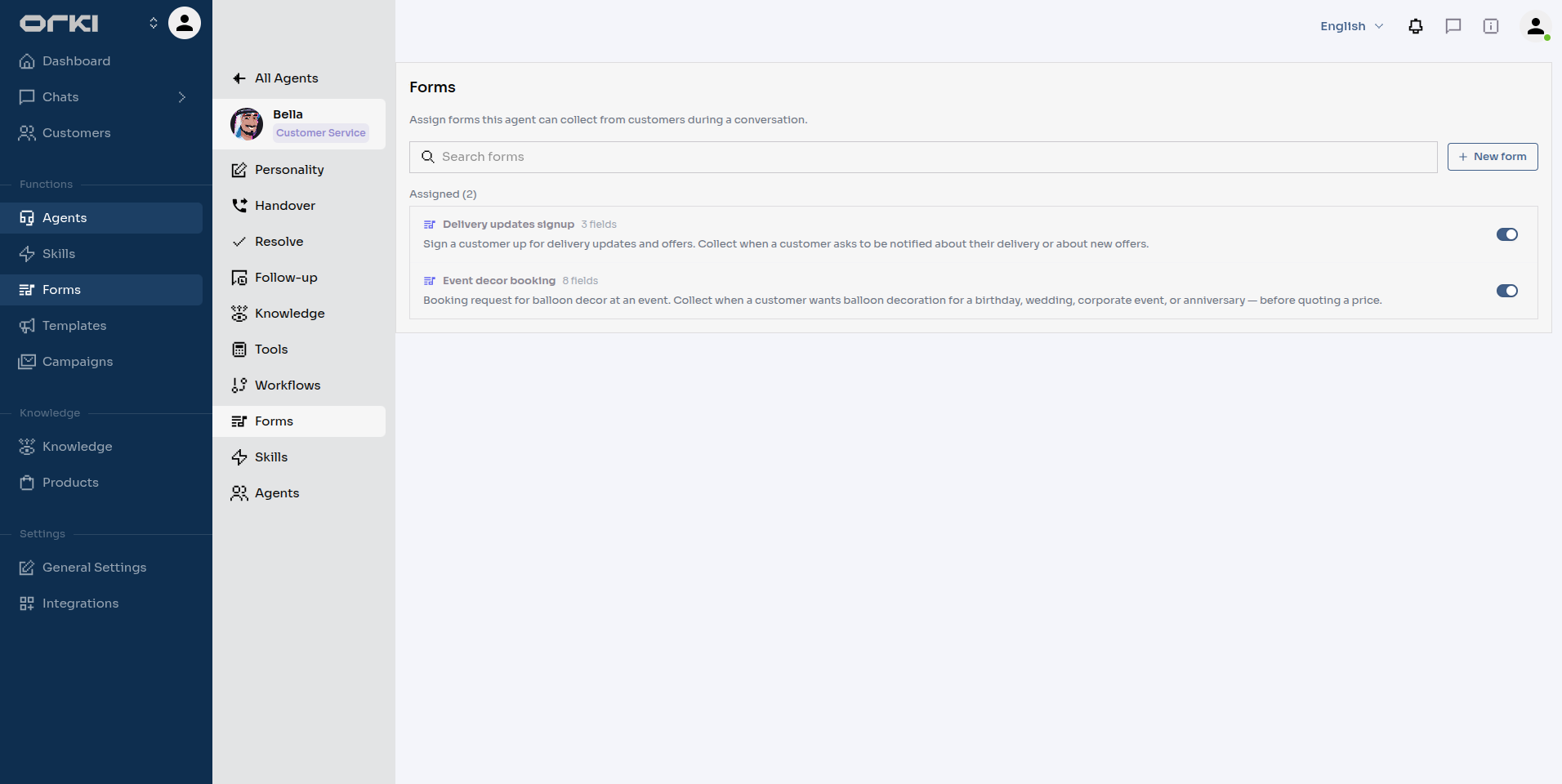
Each agent only collects its own assigned forms. Bella carries Event decor booking and Delivery updates signup; a marketing agent could carry neither. Unassigning (or disabling the form) stops collection immediately.
How the Agent Collects
Once a form-carrying agent decides the moment is right, collection just looks like good conversation:
- A question or two at a time — the agent never dumps the whole list on the customer.
- Every answer is saved as it's given. A response row appears in the dashboard as In progress from the first answer — you don't wait for the end to see data.
- Volunteered answers count. If the customer opens with "birthday on 25 September, about 30 guests", three fields are already done.
- Prefilled fields are never asked. Anything bound to a known customer attribute (their name, their phone) is filled silently.
- Validation is server-side. A malformed email or an impossible date isn't stored; the agent simply asks again, naturally.
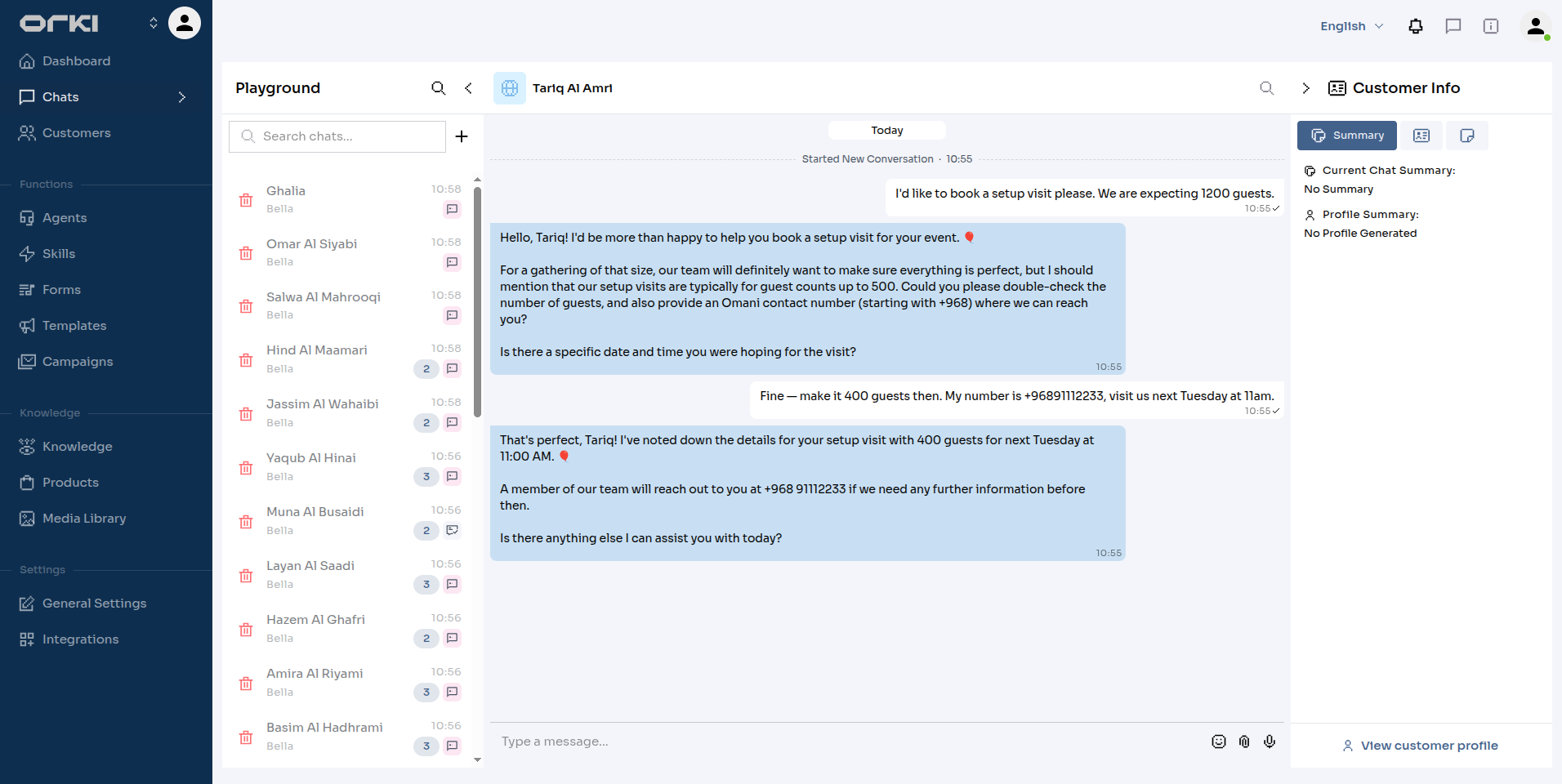
- Validation rules are enforced before storage. The agent states a field's rule when asking, and an answer that breaks it is refused politely with the reason — nothing invalid ever reaches the response.
- Relative dates just work. For date and date-&-time fields, "tomorrow at 5pm" or "next Friday" is resolved from the moment the customer wrote the message.
- Corrections work. "Actually, make that 40 guests" — the saved answer is updated.
- Free text maps onto options. For choice fields, the customer's own words are matched to your option labels.
- It survives interruptions. If the chat wanders off or the customer disappears for a day, the response stays In progress and the agent picks up the missing fields when the topic returns.
- The ending depends on the form. With Confirm before submit on, the agent reads everything back and waits for a "yes"; otherwise the response completes on its own once every required field is valid — see form settings.
Prompting the Agent
The agent decides when to collect from two places you control. Get these right and collection feels effortless; leave them vague and the agent may never see the moment.
1. The form's Description — the "when and why". This is the primary steering. Write it as an instruction about the situation, not a caption:
Booking request for balloon decor at an event. Collect when a customer wants balloon decoration for a birthday, wedding, corporate event, or anniversary — before quoting a price.
2. A trigger line in the agent's custom instructions. Reinforce the trigger where the agent's own behaviour is defined (Agents → (your agent) → Personality → Additional general instructions):
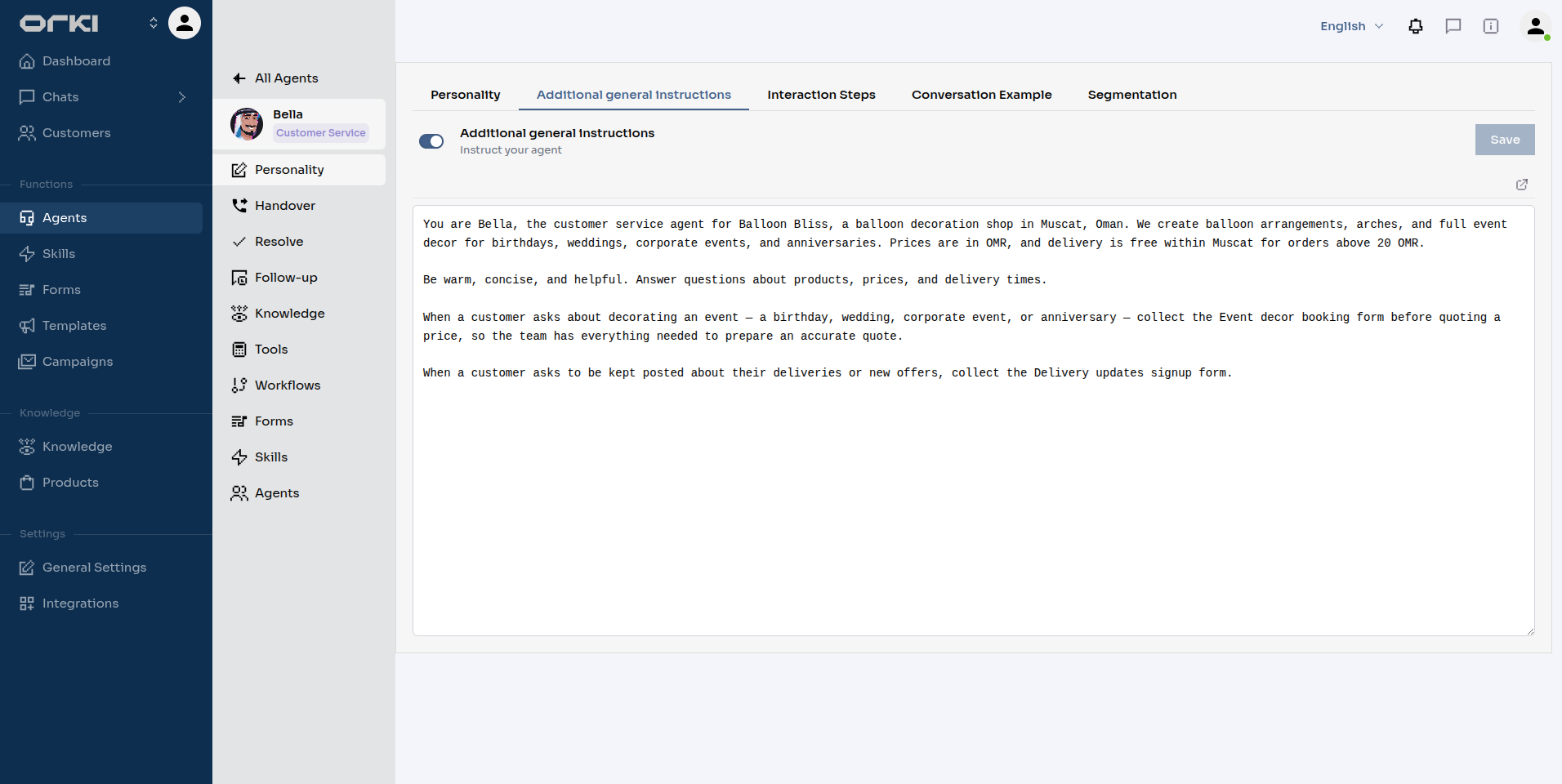
When a customer asks about decorating an event — a birthday, wedding, corporate event, or anniversary — collect the Event decor booking form before quoting a price, so the team has everything needed to prepare an accurate quote.
A few rules of thumb:
- Name the trigger, not the procedure. Say when to collect ("before quoting a price", "when they ask for delivery updates"). Don't script the questions field by field — the platform already tracks what's missing, and over-scripting causes double-asking.
- Per-field phrasing lives in the Prompt hint, not the instructions. "A rough estimate is fine" on Number of guests shapes how that one question is asked.
- Keep option labels in customer language — they're the matching targets for whatever the customer says.
Try It in the Playground
Playground chats behave exactly like a real channel, so you can rehearse a form end-to-end before a single customer sees it. Open Chats → Playground, start a chat with your agent, and play the customer:
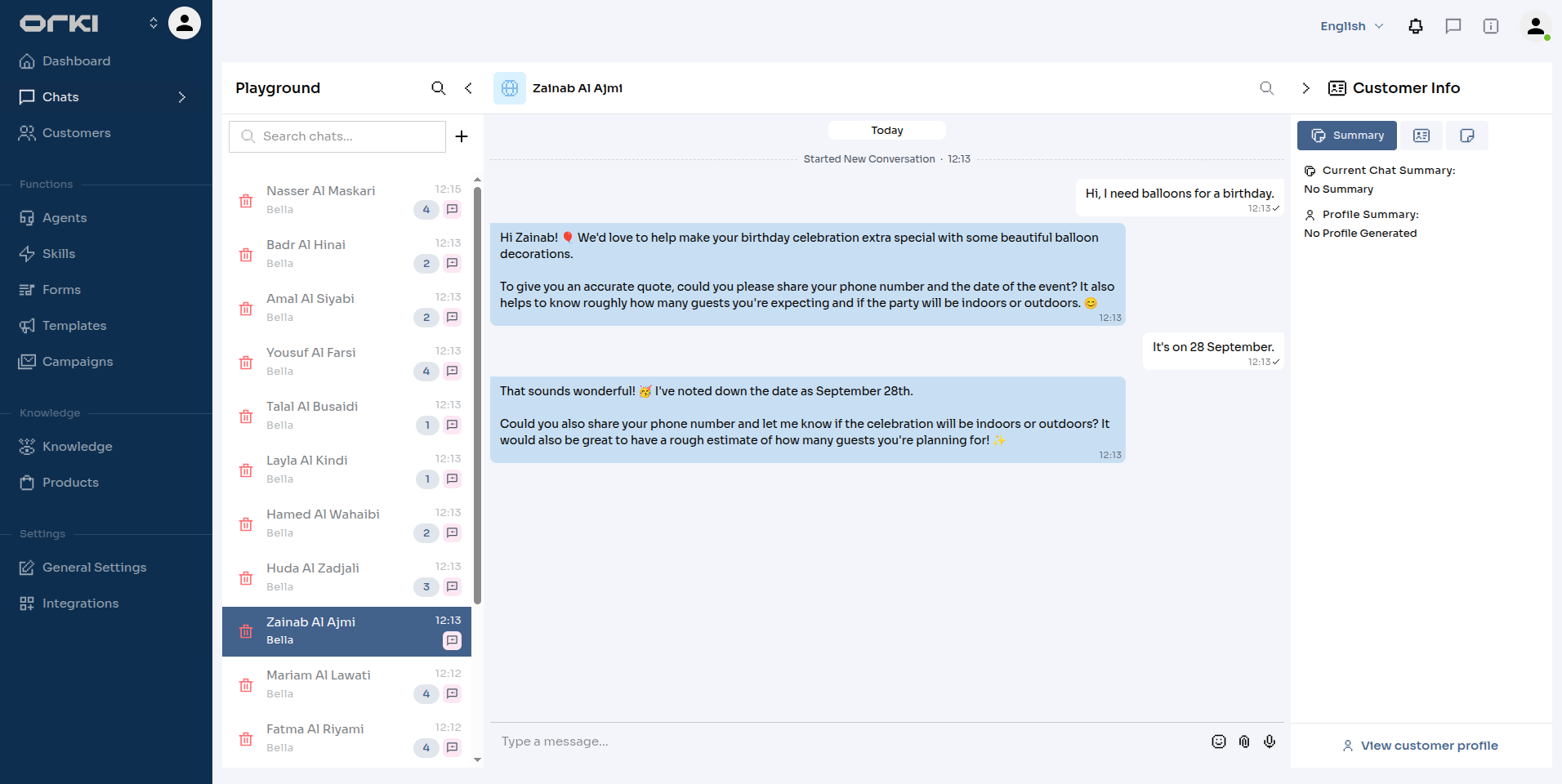
Salim asks about a birthday party; Bella collects the date, guest count, and venue in stride. Because Event decor booking has Confirm before submit on, she closes with a read-back:
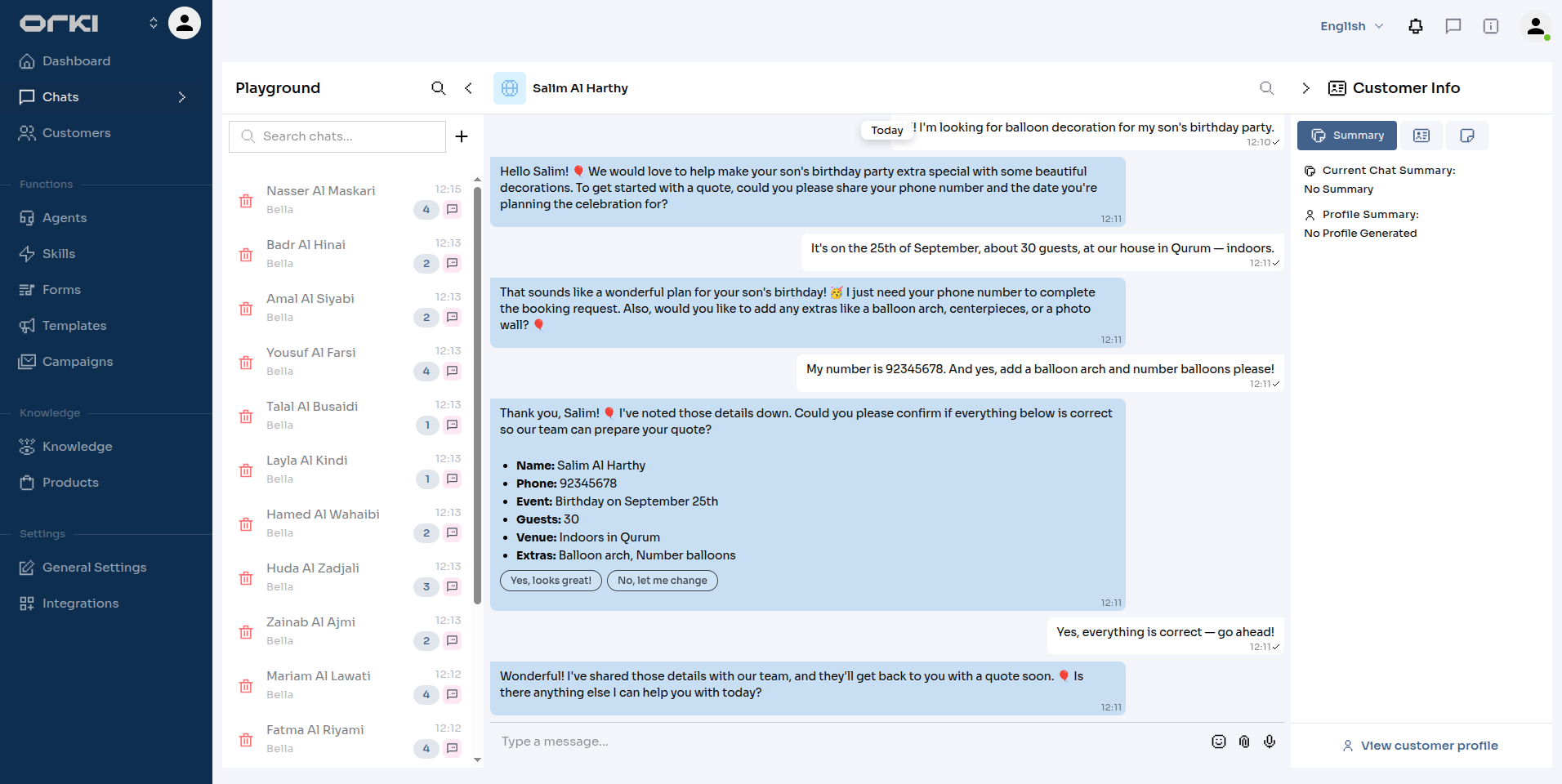
Open the form's responses in a second tab while you chat — the row appears as In progress with the first answer and flips to Completed on the confirmation. Playground fills are tagged with the Playground channel, so they're easy to filter out or bulk-delete later.
The playground is also the place to watch validation rules at work — here Tariq asks for a 1200-guest setup visit and Bella pushes back with the 500-guest cap and the phone format, then accepts the corrected details:
Troubleshooting
| Symptom | Cause | Fix |
|---|---|---|
| The agent never starts collecting | Form disabled, not assigned to this agent, or nothing tells the agent when to collect | Check the Enabled switch and the agent's Forms tab; sharpen the form Description and add a trigger line to the instructions |
| The agent asks for something it should already know | The field isn't bound to a customer attribute, or the attribute is empty for this customer | Set Prefill from customer attribute on the field |
| The agent refuses a second submission | One response per customer is on and this customer already completed one | Turn the toggle off if repeat submissions are wanted |
| A response sits at In progress forever | A required field was never answered, or the customer never confirmed a confirm-before-submit form | Nothing is lost — the partial answers are in the dashboard; the agent resumes if the customer returns |
| The agent keeps refusing a value | A validation rule is doing its job — the reason the agent gives IS the rule | Check the field's rules in the builder; loosen the rule if it's too strict |
Next Steps
- Form Responses — where every fill lands, live
- Building a Form — field types and the two toggles that change agent behaviour
- Personality — where the agent's custom instructions live