Follow-up & Review
Customers drift away mid-conversation — they get distracted, need to check with someone, or just forget. Orki gives your agent three ways to bring them back:
- Automatic chat review — after a quiet period, the AI re-reads the chat and decides for itself what to do.
- Customer-requested reminders — a customer says "remind me in 4 hours" and the agent schedules it, no setup needed.
- Manual follow-up from the inbox — you click a button and send the agent back into a chat right now.
Automatic Chat Review
When enabled, the agent reviews the chat after the customer has been silent for the time you set — and decides on its own whether to answer an open question, send a friendly nudge, schedule a later check-in, resolve the chat, or do nothing at all.
This is smarter than a fixed "are you still there?" timer: the AI reads the actual conversation state before acting.
Configuring
- Go to Agents → click your agent → Follow-up tab
- Toggle the review on
- Set the delay (hours : minutes) — measured from the customer's last message
- Optionally add review instructions
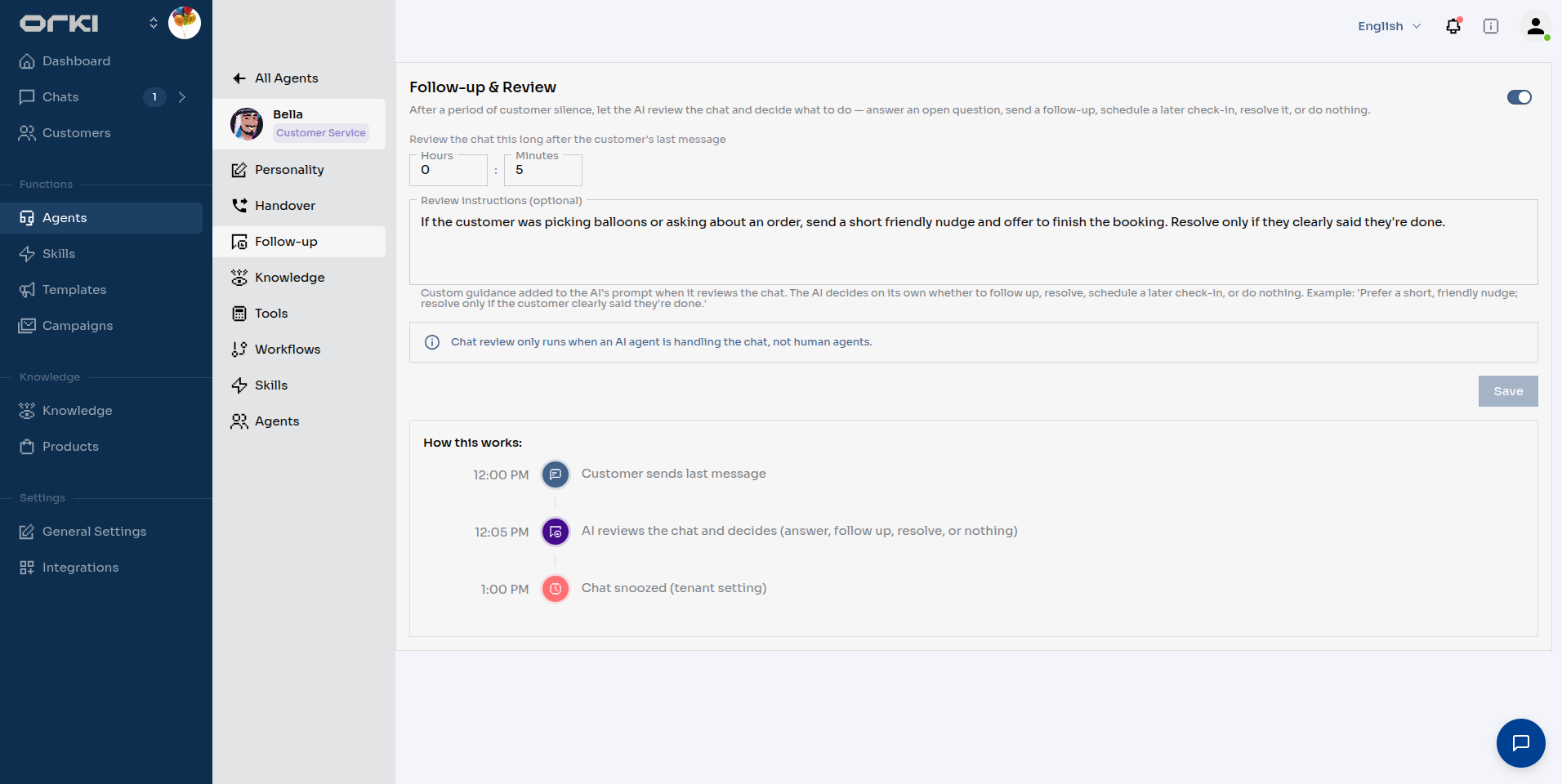
Review instructions are extra guidance added to the AI's prompt at review time. The AI still decides what to do — the instructions shape how. For Balloon Bliss:
If the customer was picking balloons or asking about an order, send a short friendly nudge and offer to finish the booking. Resolve only if they clearly said they're done.
The How this works timeline on the right shows the full sequence for your current settings — customer's last message → review → your workspace's snooze/resolve timers.
Chat review only runs while an AI agent is handling the chat. Once a human takes over, the AI stays out of the way.
Choosing the delay
- 5–15 minutes — active sales chats: catch customers who were about to book.
- 1–2 hours — support conversations: give people time to try your suggestion.
- Whatever you pick, the review decides based on the conversation — a chat that ended with "thanks, bye!" gets resolved, not nudged.
Customer-Requested Reminders
Your agent can schedule follow-ups because the customer asked — nothing to configure.
A real Balloon Bliss exchange:
Maya: It's okay, I'll decide on the gift later. Can you remind me in 4 hours to confirm the delivery time?
Bella: No problem at all, Maya! I've set a reminder for myself to check back in with you in 4 hours to confirm that delivery time. ⏰
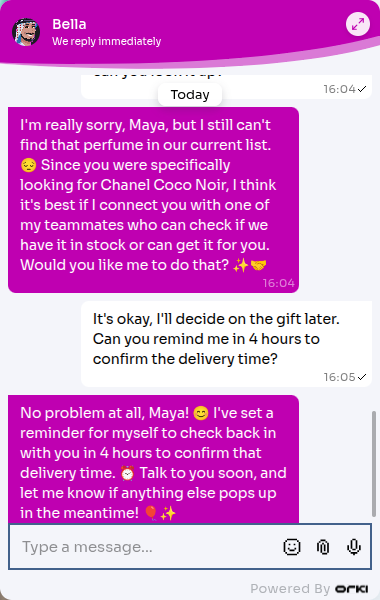
Four hours later, Bella messages the customer on her own and picks the conversation back up.
Details worth knowing:
- Reminders can be scheduled up to 24 hours ahead.
- Customers can change their mind conversationally — "actually, cancel that reminder" or "make it tomorrow morning" both work.
- A scheduled reminder replaces the automatic review timer for that chat, so the customer doesn't get double-pinged.
Manual Follow-up from the Inbox
Sometimes you want the agent to re-engage right now — a chat went quiet at the decision point, or a promised update has arrived.
Open the chat in Chats and click Send follow-up agent (next to Take Over). The AI reviews the conversation immediately and sends an appropriate message — you don't have to type anything yourself. Any scheduled follow-up for that chat is cleared, since the agent is going in now.
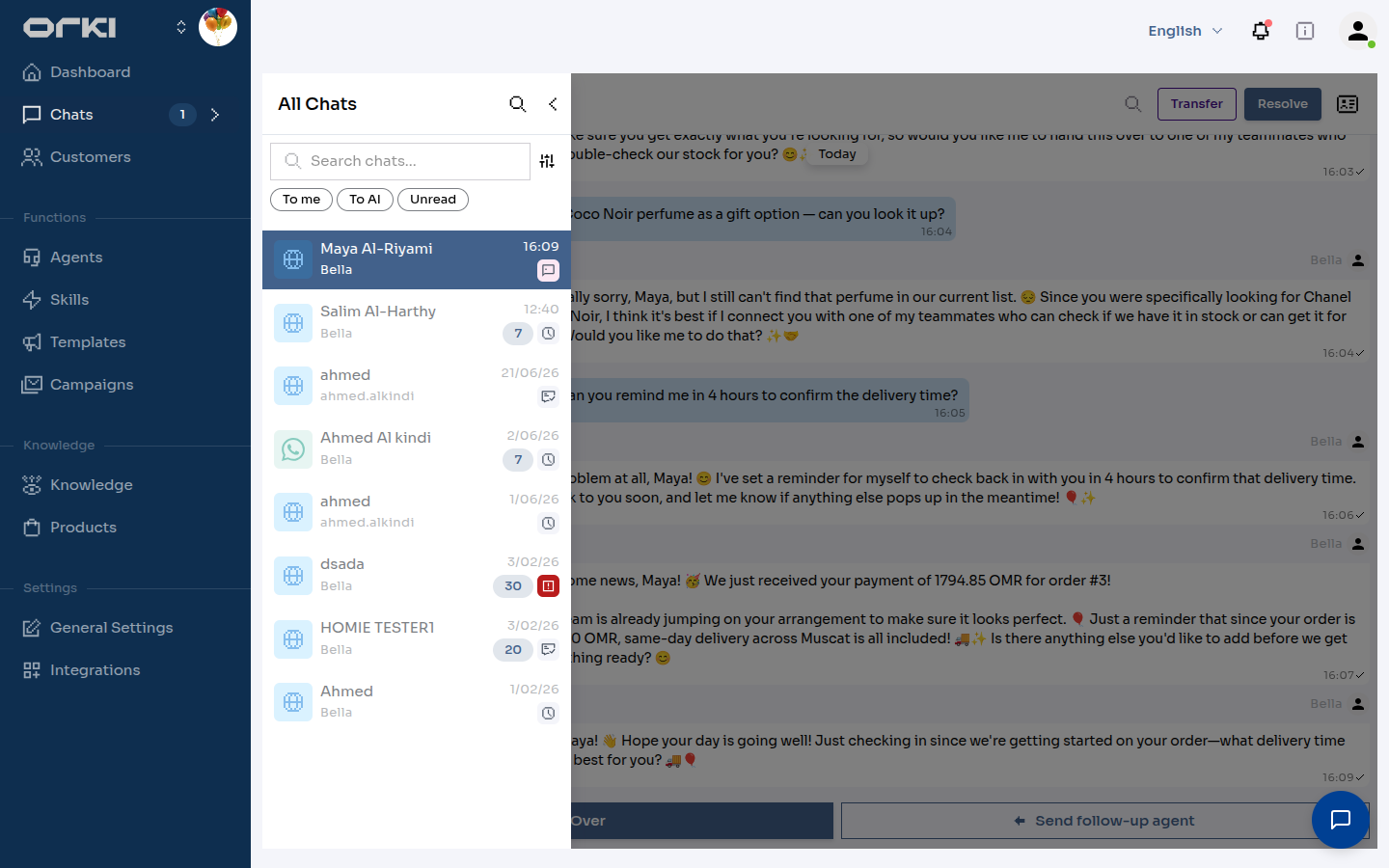
Requirements: the chat must be handled by an AI agent (not taken over by a human) and still be inside the platform's messaging window.
You can also trigger it from your own systems — POST /api/v1/tenants/{tenantId}/chats/{chatId}/follow-up with an optional {"context": "..."} note that tells the follow-up agent what to focus on. Authentication works the same as for System Events.
Best Practices
- Let the review do its job. Don't instruct it to "always send a message" — the value is that it can also resolve or stay silent.
- Keep instructions about intent, not wording: "offer to finish the booking" ages better than a scripted sentence.
- Test in the Playground before going live: send a message, wait out your delay, and watch what the review decides.
- Mind the channel windows. On WhatsApp, follow-ups must land inside the 24-hour messaging window — for later re-engagement use template messages.
Troubleshooting
- No follow-up arrived — check the toggle is on for the agent handling that chat, the customer's silence actually exceeded the delay, and a human hasn't taken the chat over.
- Follow-up felt pushy / too frequent — increase the delay, and add a review instruction like "prefer doing nothing if the customer seems finished."
- Settings don't affect an old chat — review settings apply from the next customer message onward.
Next Steps
- Handover — when the agent should bring in a human instead
- System Events — proactive messages triggered by your backend
- Personality — tune how the agent writes its follow-up messages