Skills
A skill is a reusable instruction document, written in markdown, that an agent loads only when the conversation needs it. Think of skills as a shared library of know-how: write "how we handle refunds" or "balloon care advice" once, then toggle it on for any agent that should know it.
This keeps each agent's core prompt short — the agent reads a skill's one-line description and pulls in the full document only when a customer question matches.
For Balloon Bliss, customers often ask how long balloons last in Oman's summer heat. That's too niche for Bella's main instructions, but perfect as a skill.
Where to Find It
Skills in the sidebar (under Functions). The gallery lists every skill in your workspace.
Creating a Skill
- Click Create Skill
- Fill in the three fields:
-
Name — kebab-case, e.g.
balloon-care-tips. Short and descriptive; this is how the agent refers to it. -
Description — one or two sentences the agent uses to decide when to load the skill. Be explicit about the trigger:
How to care for latex and foil balloons in Oman's climate — load when a customer asks how long balloons last, how to keep them looking fresh, or how to transport them.
-
Instructions — the markdown document itself. Headings, lists, and emphasis all work; there's a Preview tab and a fullscreen editor.
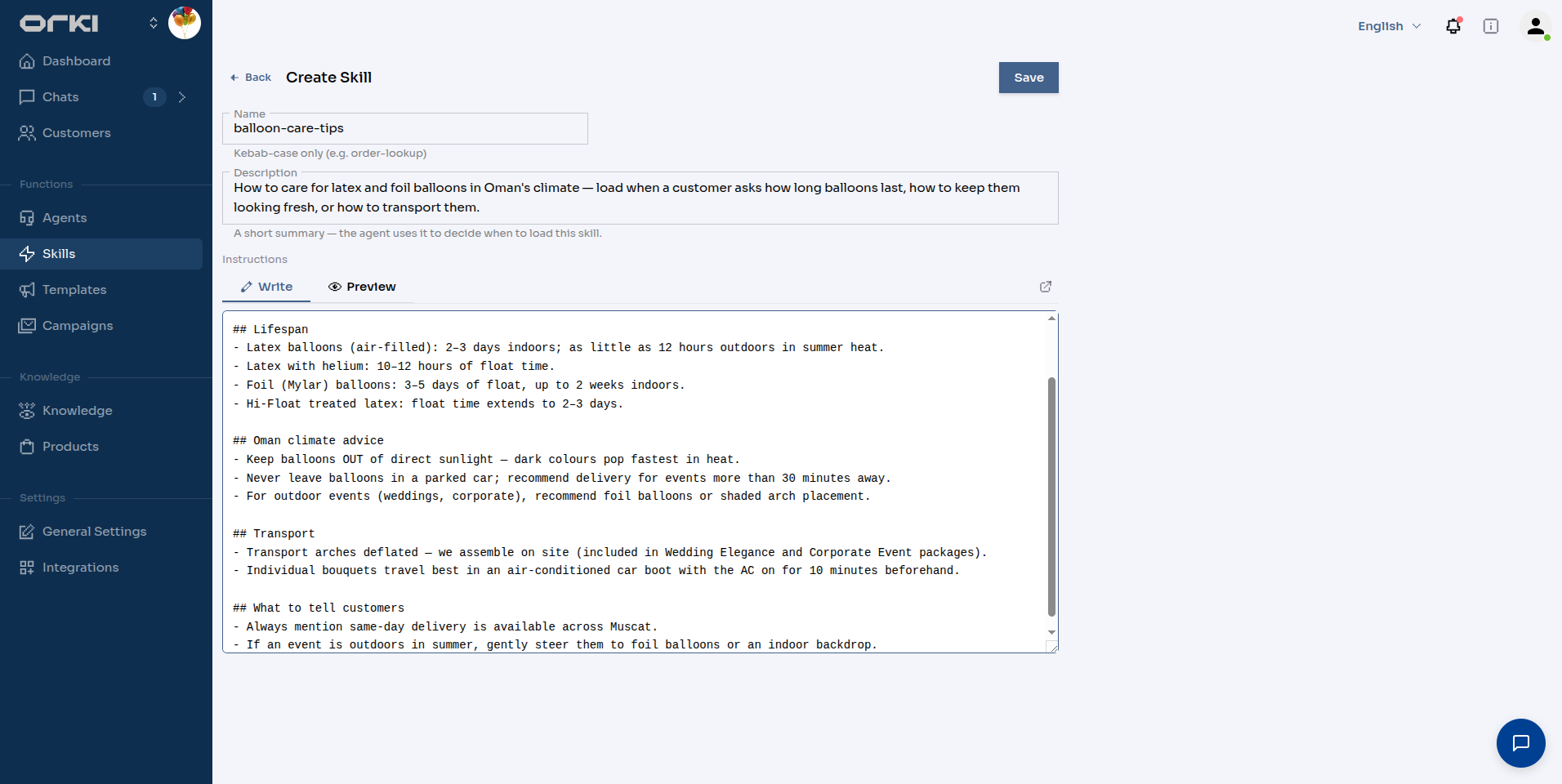
For balloon-care-tips, the instructions cover balloon lifespans (latex vs foil, helium float times), Oman-specific advice (keep out of direct sun, never leave in a parked car), transport tips, and what to proactively tell customers.
- Click Save.
Assigning Skills to Agents
Skills do nothing until assigned. Go to Agents → (your agent) → Skills and toggle on the skills this agent should have:
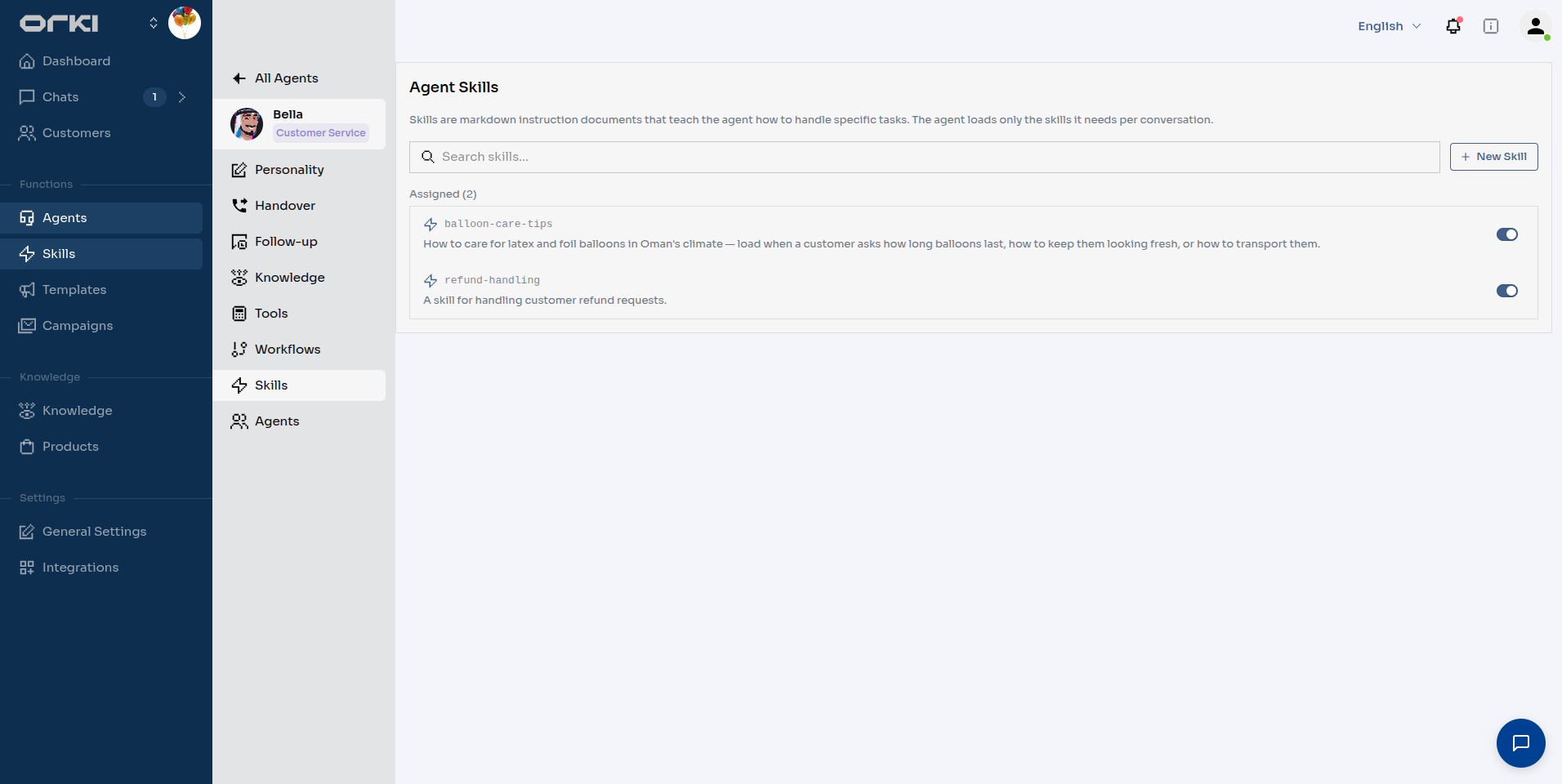
Each agent only sees its own assigned skills. Your customer-service agent can have balloon-care-tips while a marketing agent doesn't.
Skill vs. Custom Instructions — Which One?
| Put it in… | When |
|---|---|
| Custom instructions (agent's Personality) | Identity, tone, and rules that apply to every message — "you are Bella…", "always mention free delivery above 20 OMR". |
| A skill | Topic-specific knowledge needed sometimes — care guides, policies, step-by-step procedures. Especially anything shared by more than one agent. |
Rule of thumb: if it's longer than a few lines and only matters for certain questions, make it a skill.
Best Practices
- The description is the trigger. "Load when a customer asks how long balloons last" beats "balloon information".
- One topic per skill. Split "care tips" and "refund policy" — the agent loads exactly what it needs.
- Write for the agent, not the customer. Facts, numbers, and do/don't lists work better than marketing prose.
- Keep assignments lean. Only assign skills the agent genuinely needs; a focused set makes loading decisions sharper.
Next Steps
- Agent Personality — the always-on identity and behavior settings
- Knowledge Base — for large content sources (websites, documents, FAQs) with semantic search
- Tools — give agents actions, not just knowledge
- Media Library — files the agent can send, assigned per agent like skills