The Support Role
At Balloon Bliss, Bella (the AI agent) handles the front line. When a customer needs a human — a complaint, a custom order, anything Bella escalates — that conversation should land with a support teammate who can give it full attention, without wading through every other chat in the workspace.
That is what the Support role is for: a team member who works only the chats assigned to them. Their workspace is stripped down to two places — their chats and their own performance dashboard — and the platform enforces the boundary everywhere, not just in the menu.
Where to Find It
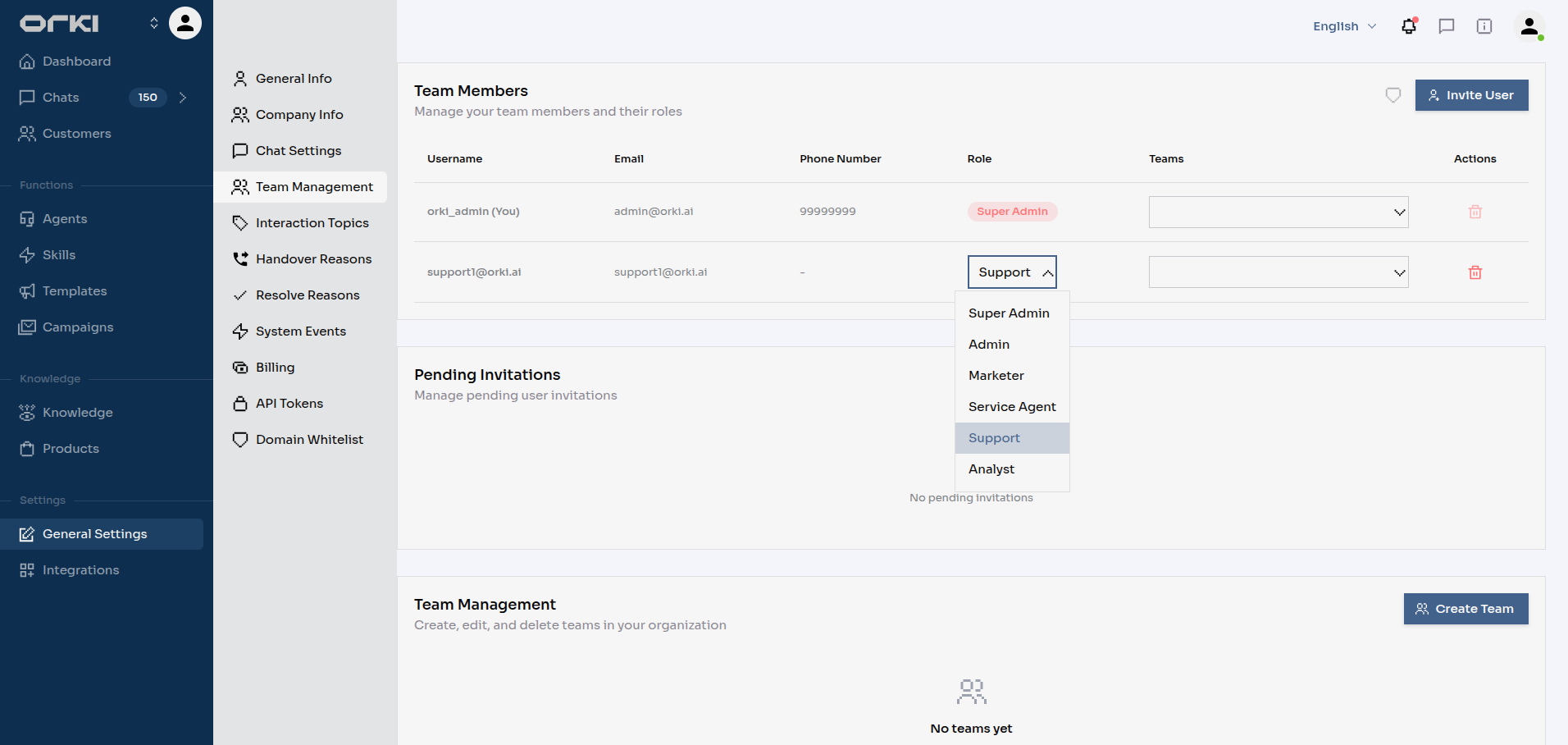
Admins assign the role in Settings → Team Management — change an existing member's role to Support, or invite a new user with the Support role. Only admins can assign or remove roles, and every role change is recorded in the audit trail.
What a Support Agent Sees
A Support user's navigation has exactly two entries:
| Entry | What it shows |
|---|---|
| Dashboard | Their personal My Performance view |
| Chats | Only the chats currently assigned to them |
There is no status dropdown under Chats, no Customers page, and no settings sections — their profile is reachable from the user menu in the top navigation bar. Logging in lands them directly on Chats.
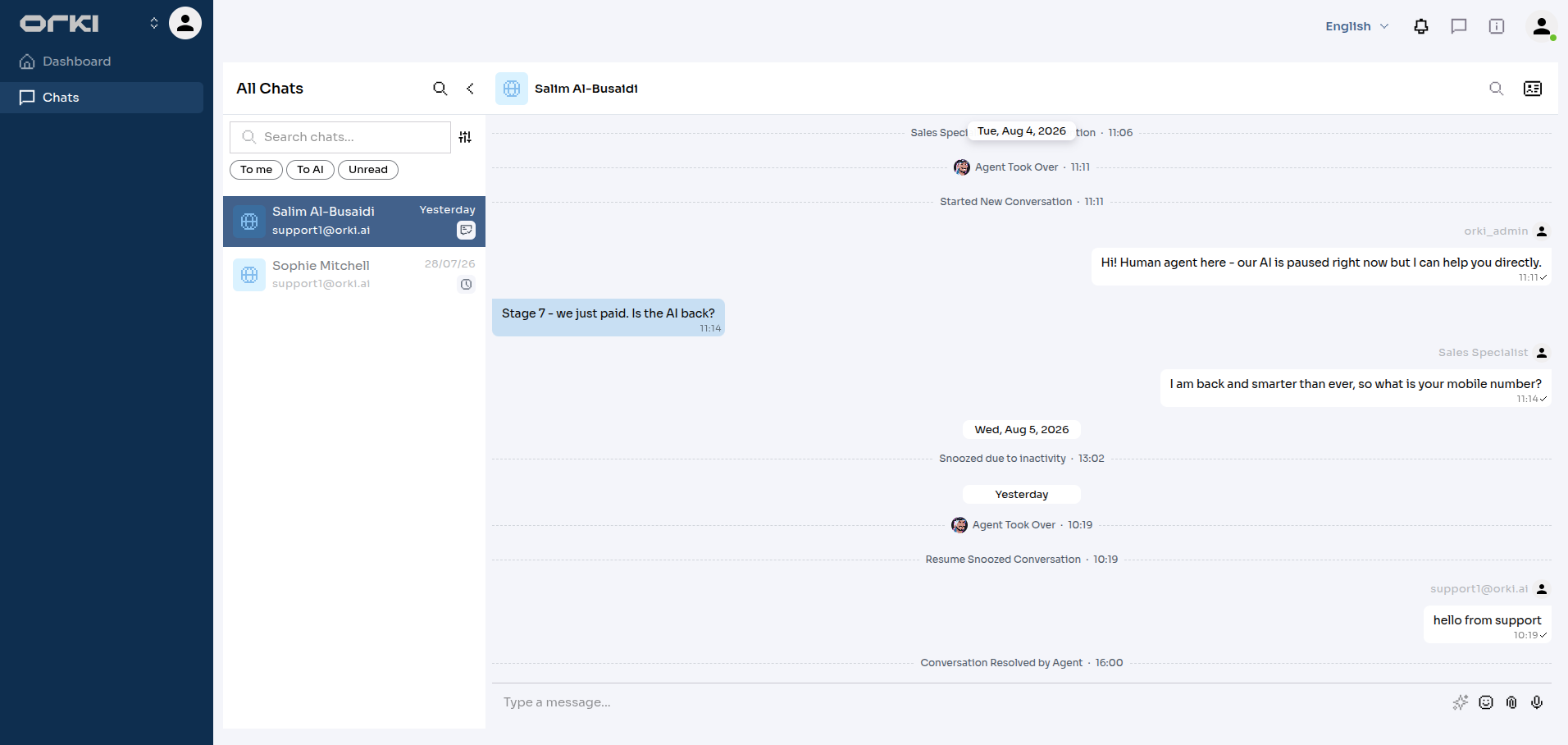
The restriction is not cosmetic. Chat lists, counters, message search, and even direct links are all filtered on the server. A link to someone else's chat simply refuses to open.
Getting Chats
A chat belongs to a Support agent when they are its current handler. Chats arrive in two ways:
- AI escalation — Bella hands the conversation over and the agent is chosen as the target.
- Teammate transfer — an admin or another agent uses Transfer on a chat and picks the Support agent.
The agent's list updates by itself: a newly assigned chat appears within seconds, and a chat transferred away disappears just as fast. If the agent has that chat open while it is reassigned, the conversation closes with a short notice — no stale screens, no accidental replies to a chat that is no longer theirs.
Working a Chat
Inside an assigned chat, a Support agent has the full toolkit:
- Reply, attach files, and use AI-drafted reply suggestions
- The complete right-hand panel — customer info, notes (read and add), and chat history
- Resolve the conversation (including resolve-and-learn), with the tenant's resolve reasons
- Transfer the chat onward — back to an AI agent or to a teammate — using chat actions
- Send approved WhatsApp template messages inside the chat when the messaging window has closed
My Performance
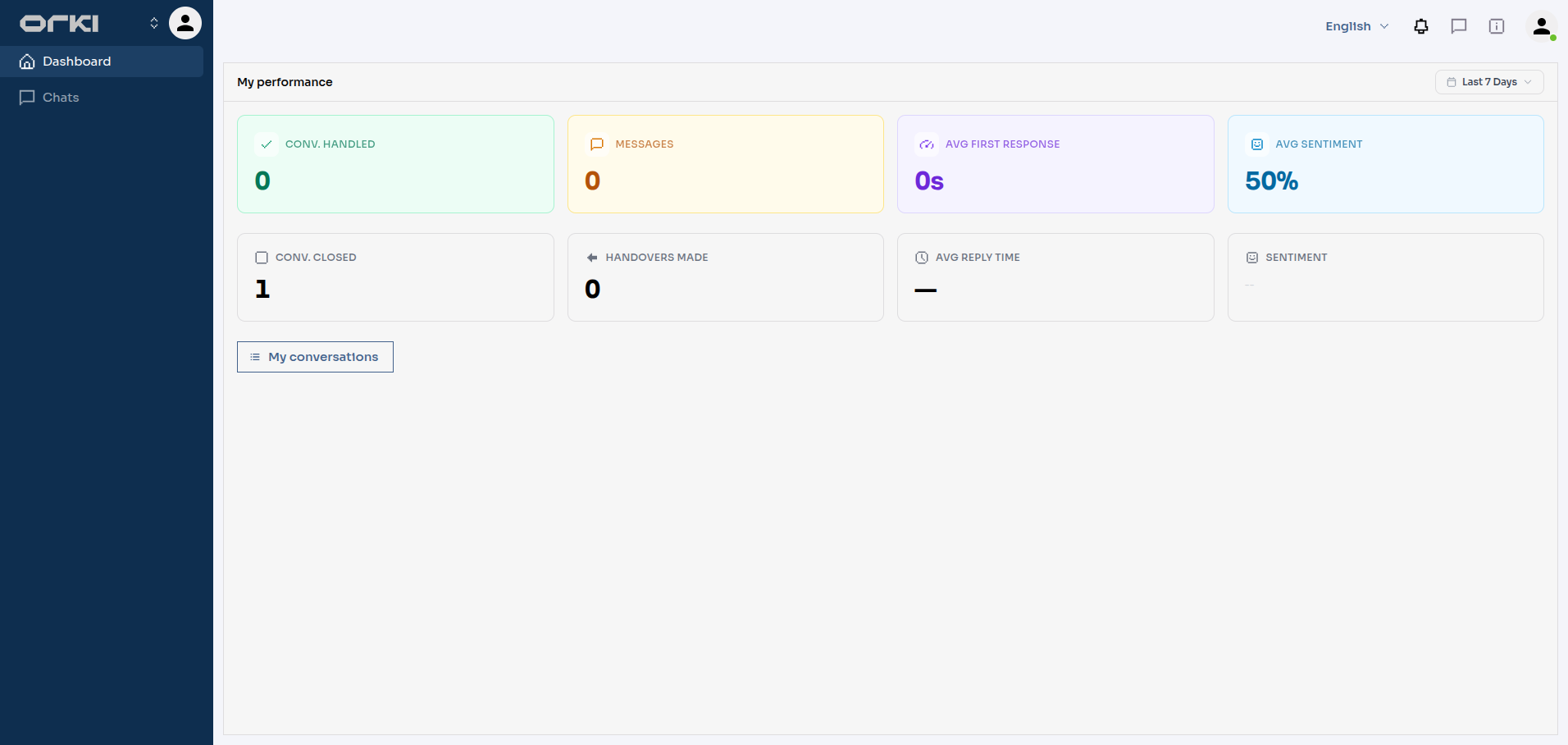
The Dashboard entry opens My Performance — the agent's own numbers, not the tenant's:
| Metric | What it means |
|---|---|
| Conv. Handled | Conversations the agent participated in (sent at least one reply) during the selected period |
| Messages | Customer messages routed to the agent — incoming workload |
| Avg First Response | Average time from a customer's first message to the agent's first reply |
| Avg Sentiment | Overall sentiment score of the agent's conversations |
| Conv. Closed | Conversations the agent personally closed |
| Handovers Made | Chats the agent transferred onward to a teammate or AI agent |
| Avg Reply Time | Average wait between a customer message and the agent's response |
| Sentiment | The positive / neutral / negative mix of their conversations |
A date-range selector (today, last 7 days, last month, or custom) scopes every number, and My conversations opens the full list of conversations behind them.
Customers
Support agents can open the customer profile of anyone whose chat they handle — the panel in the chat, the notes timeline, and the full profile page all work. What they cannot do is browse: there is no Customers page, no segments, and no exports. If they don't handle one of the customer's chats, the profile won't open.
What Support Cannot Do
The role is focused by design. Compared to a Service Agent, a Support user gives up:
| Area | Availability |
|---|---|
| Other teammates' chats | Not visible, not accessible |
| Tenant-wide analytics | Replaced by My Performance |
| Customers page, segments, exports | Not available |
| Playground | Not available |
| Settings pages | Not available (profile via the top-navbar user menu) |
| Marketing, Knowledge, Agent management | Not available |
Use Service Agent for trusted operators who cover the whole inbox. Use Support for larger desks, external or junior agents, or anywhere you want strict "work only what's assigned to you" boundaries with per-agent performance numbers.
Troubleshooting
A chat vanished from my list. It was transferred to someone else (or back to the AI). Your list only ever shows chats where you are the current handler.
A chat link a teammate sent me won't open. You are not that chat's handler. Ask them to transfer it to you first.
My dashboard shows zeros. Check the date range — and note the numbers only count conversations you actually handled in that period.
Next Steps
- Team Management — assigning roles and inviting users
- Chat Actions — transfer, resolve, and take over
- Unified Inbox — how the full inbox works for unrestricted roles